What is dome slaving?
A dome is different to a roll-off observatory in that it provides a lot more protection from wind and other elements. However, because of this, the telescope can’t see the whole sky, which means it has to rotate so the shutter is always in front of the telescope.
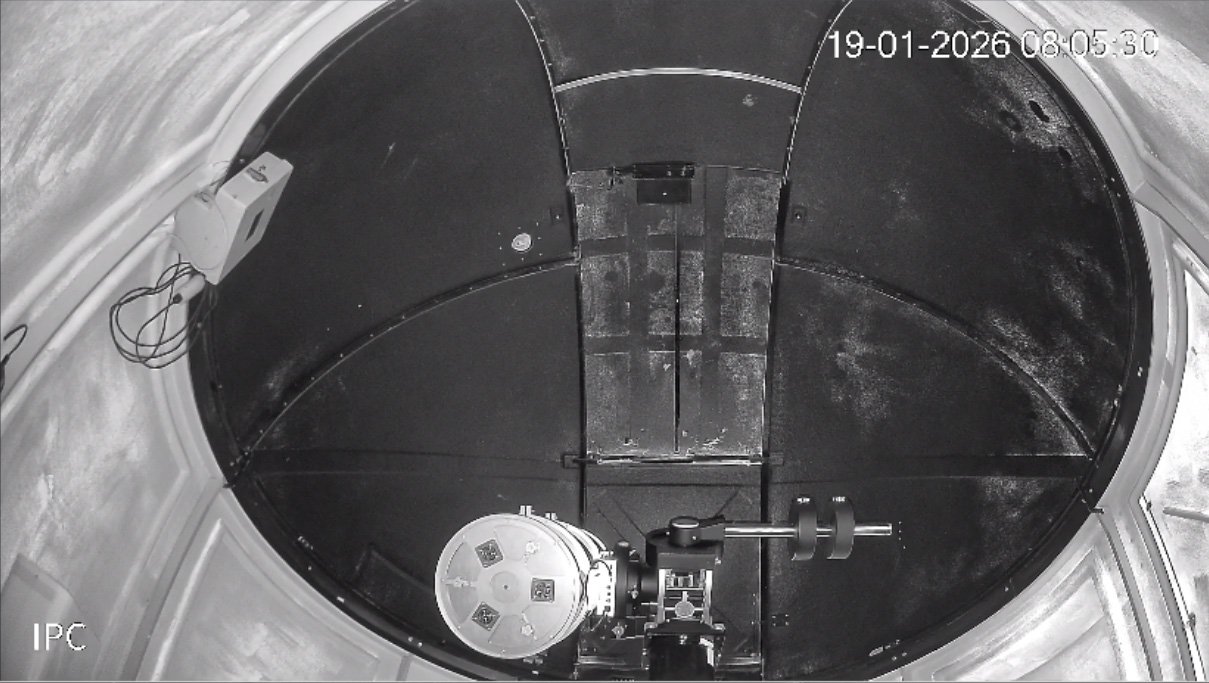
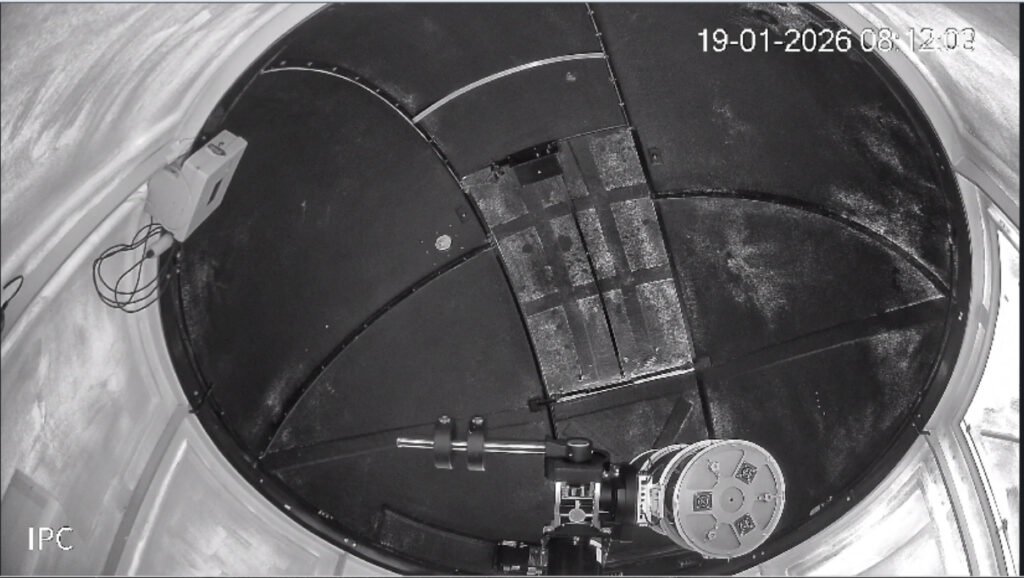
If your dome has an equatorial mount, the telescope isn’t always directly above the top of the pier (or tripod). Consider the most extreme case (assuming you’re in the Southern Hemisphere like us) where you want to look at a target low in the north. To point your scope here, your mount has to swing the counterweights so they’re just about horizontal to the east or west, then tilt the declination axis to the north. It looks like the image here. The dome is pointed due north (az=0°), and the camera is on the dome floor, south of the pier, so we’re looking up at the mount.
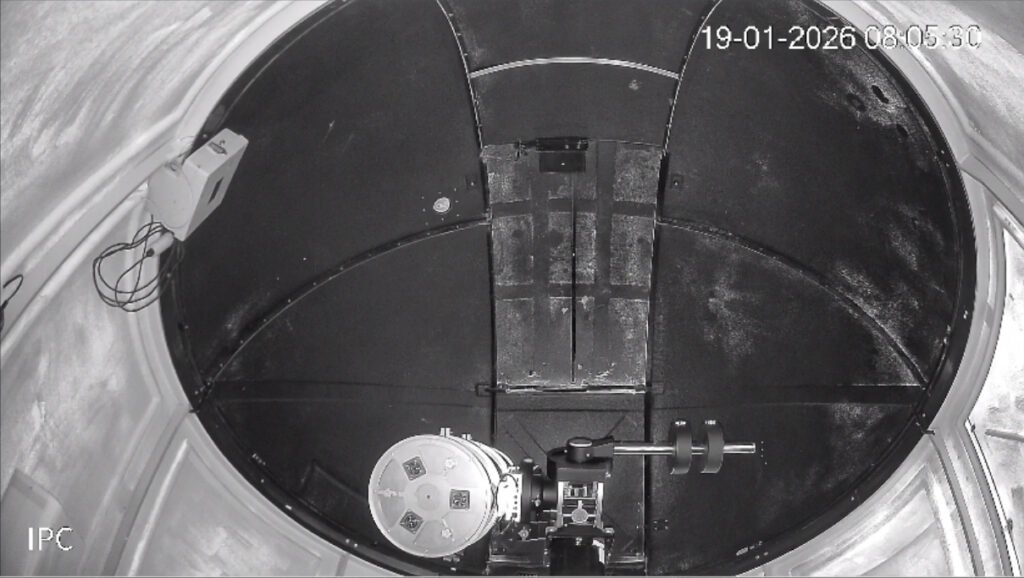
You’ll see that the telescope is hanging quite a long way off to the left (or west) of the pier. This means that unless you move the dome a bit to the left, the telescope is going to be looking – at least partially – at the inside of the dome. We call this “eclipsing”, and in the worst case you can be taking an image of the inside of your dome. In less extreme cases, not only does it cut your light availability, but it also causes ugly diffraction spikes on your stars. It’s not an optimal situation.
The solution to this is to move the dome a bit so the shutter is in front of the telescope. If you can get your computer to do this automatically, we call this “slaving the dome”.
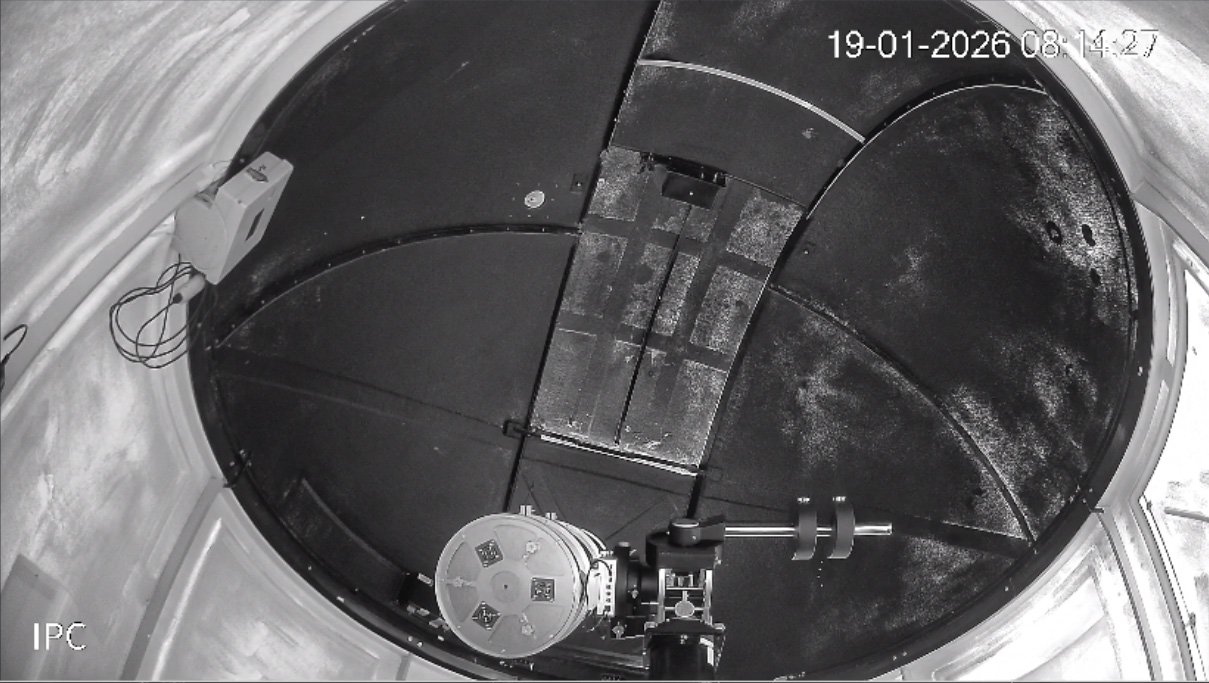
Here is the same dome slaved so that the shutter moves a bit anticlockwise (to the left) to compensate for the telescope hanging off the west side of the pier.
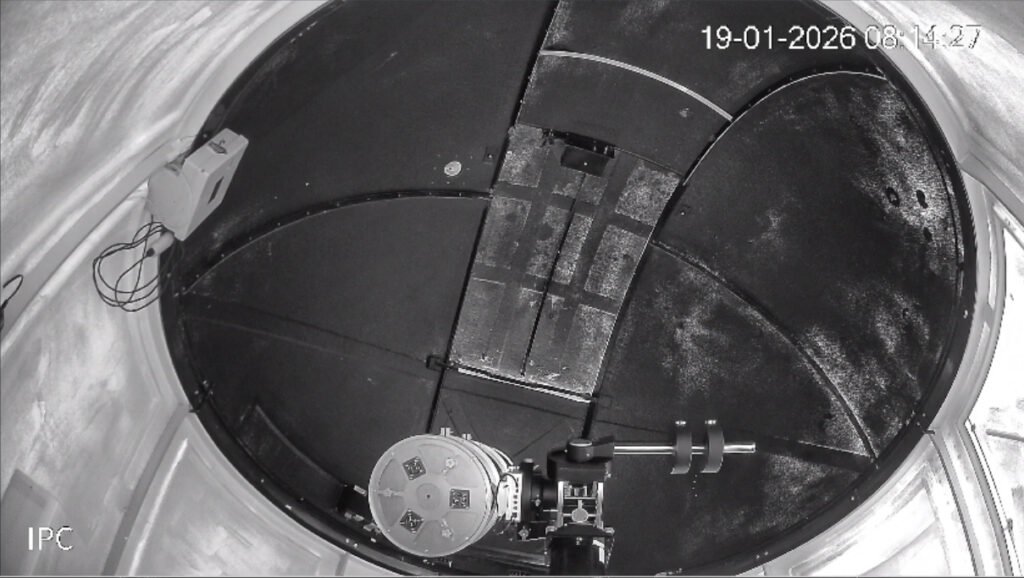
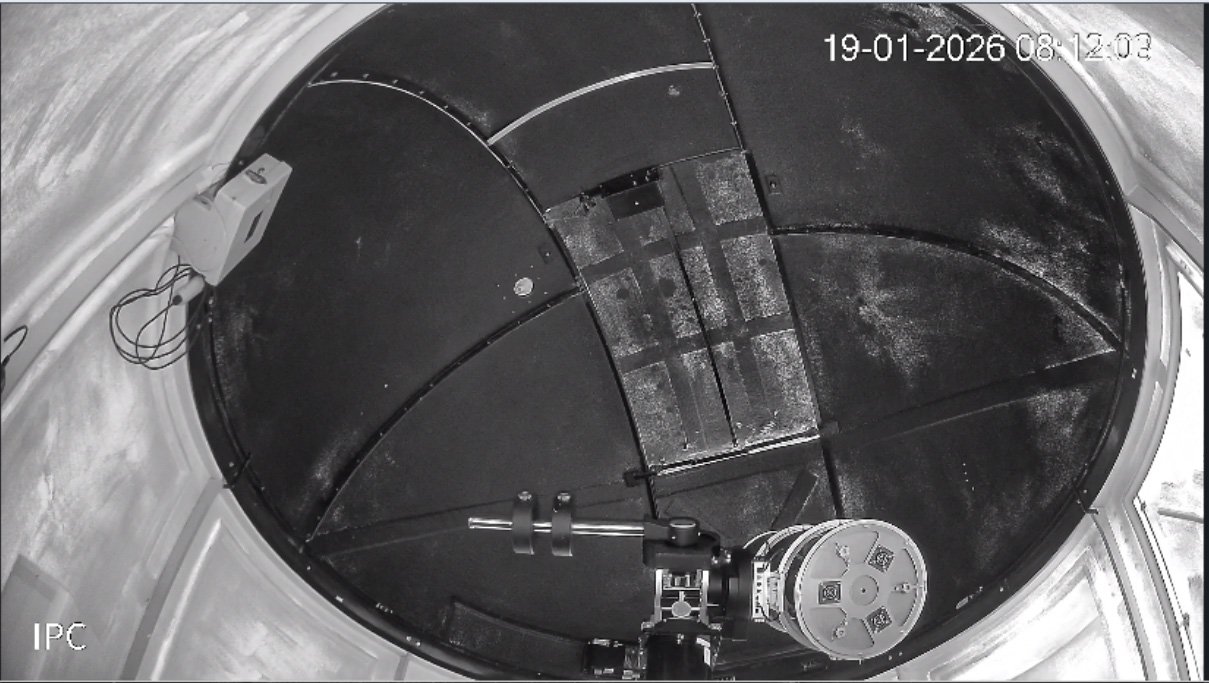
Of course, if you’re in this position and the mount is tracking, you’re pointing very close to the meridian and so you’re about to do a meridian flip. To keep tracking the star in the north that’s moving towards the west (or left), the mount has to flip so the counterweights point to the east then gradually swing downwards. At this point the telescope will be hanging off the east side of the pier, and as a result, the dome has to move clockwise (right) a bit, so the telescope is still looking through the shutter. This is what it looks like:
The calculation
But how much should the dome shift? And does this amount change when the telescope is pointing at other targets? This is where things start to get complicated. Unless you’re using a very specific type of mount, the telescope is not always going to be in the geometric centre of the dome’s sphere. Not only will the telescope’s target (in terms of Hour Angle and Declination) affect where the dome shutter should be, but the side of the pier is important, as well as the distance between the mount’s origin point and the centre of the telescope tube. Other factors, such as the dome radius, and the location of the mount in relation to the centre of the dome also affect the calculation of the dome azimuth.
Dome slaving is therefore the process of taking all these geometric variables and coming to the single azimuth (heading) for the shutter on the dome. The mathematics is unbelievably complicated and involves 3-D trigonometry as well as calculus. It’s nearly always approximate as well, so the rule “near enough is good enough” is relevant. The main thing is to prevent, as much as possible, your dome from eclipsing the telescope.
Who’s involved?
Over the next few sections, we’ll be talking about calculations, the different bits of software that might make them, the information that’s needed to make the calculations, the parts of the system that can issue commands, and why it’s important to have only one master.
Your observatory will have several (expensive) bits of hardware, including a telescope on a mount and a computer, as well as the dome itself. All of these bits of hardware will have little programs on the computer called “drivers” that control them. In addition, the computer will be running a main observatory control program (like Voyager, NINA or Sequence Generator Pro) that co-ordinates everything like an orchestra conductor.
There are several ways to organise the chain of command, and the way you will be doing it will depend on a lot of specific factors. Here is a summary of the players:
- The orchestra conductor (that is, the observatory control program) is well-placed to do the calculations. If you’ve given it a target, it can convert the co-ordinates to a dome azimuth, then tell the dome to rotate there.
- The dome driver can receive the raw target co-ordinates from the observatory control program and do the calculations to find the azimuth, then rotate the dome.
- Finally, if for any reason you have trouble getting components to talk to each other, you can use an ASCOM Hub. This acts as a post office (or perhaps an interpreter?) and can pass commands from one component to another. But if needed, it can also take a raw target co-ordinate, calculate the azimuth, and pass it down the chain.
Who’s the boss?
In the relationships we’ll be talking about here, the dome is always the end of the communication line – it simply rotates to an azimuth.
The rotation commands might come from a range of sources, so it is important that we decide beforehand which source is going to be commanding.
Many of the problems that people have had with slaving have been because they had more than one master – that is, which element of the software (imaging software, ASCOM hub or dome driver) performs calculations and sends commands down the chain.
Read on, this is the first of a series of articles!
In the next few articles, we’ll discuss some scenarios for dome slaving. Which one applies to your setup will depend on a lot of highly specific factors, like the architecture (32-bit or 64-bit) of elements of the software, who made the dome or programmed its driver, whether you want to use a hand controller, what version of Windows or ASCOM you are using, or whether an ASCOM driver even exists for an old mount.